Zum Inhalt springen

Schlagwort: ubuntu


Kategorien:

Bereitstellung OnlyOffice mit Docker und Apache2 als Reverse Proxy auf Ubuntu 16.04 LTS
Bereitstellung OnlyOffice mit Docker und Apache2 als Reverse Proxy auf Ubuntu 16.04 LTS
Veröffentlichungsdatum:
Anzahl Kommentare: keine Kommentare

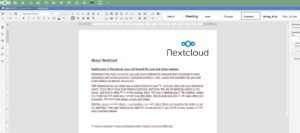
Heute möchte ich Euch zeigen wie Ihr die Alternative zu Collabora Online Office, Only Office Documentserver, mit Docker und Apache2 als Reverse Proxy in Betrieb nehmt. Dabei sichern wir den Zugriff mit einem Passwort ab, so dass nur Euch bekannte Nextcloud-Instanzen darauf zugreifen können. Voraussetzungen: – Ubuntu VPS mit root-Zugriff – LAMP-Stack installiert (Apache2 würde […]

Kategorien:

Migration von Nextcloud auf einen neuen Server mit Ubuntu 16.04 LTS

Migration von Nextcloud auf einen neuen Server mit Ubuntu 16.04 LTS
Veröffentlichungsdatum:
Schlagwörter:
Anzahl Kommentare: keine Kommentare

Heute möchte ich Euch zeigen, wie man eine Nextcloud-Instanz auf einen neuen VPS umziehen kann. Gründe dafür können sein, das einem der Speicherplatz ausgeht und der VPS vom Provider nicht vergrößert werden kann. Wir sollten uns bewusst sein, dass je nach TTL im DNS eine Downtime für unsere Nextcloud-Instanz entsteht. Wenn möglich auf jeden Fall […]

Kategorien:

How to migrate Nextcloud to a new Server with Ubuntu 16.04 LTS

How to migrate Nextcloud to a new Server with Ubuntu 16.04 LTS
Veröffentlichungsdatum:
Schlagwörter:
Anzahl Kommentare: keine Kommentare

Today I want to show you how to move a Nextcloud instance to a new VPS. Reasons may be that our one runs out of space and the VPS can not be increased by the provider. We should be aware that depending on the TTL in the DNS a downtime for our Nextcloud instance arises. […]

Kategorien:

How to install APCu Object Cache in php7 and integrate in Nextcloud

How to install APCu Object Cache in php7 and integrate in Nextcloud
Veröffentlichungsdatum:
Schlagwörter:
Anzahl Kommentare: keine Kommentare

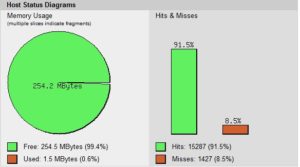
Today we want to optimize our Nextcloud installation with PHP-APCu, it does not matter which Nextcloud or PHP7 version we use. Depending on the version we replace the „x“ in the commands. VPS Preparation: Optional: If you have big but slow disks like me, you can work with a RAM disk. Condition is, of course, […]

Kategorien:

How to change your VPS hostname and mailname on Ubuntu 16.04 LTS permanently

How to change your VPS hostname and mailname on Ubuntu 16.04 LTS permanently
Veröffentlichungsdatum:
Anzahl Kommentare: keine Kommentare

Today we want to set the host name of our VPS so that it still existed after a reboot. Some vendors reset the hostname after a reboot, so we bypass with a script that makes the adjustments for us. First we have to create a file called set_vps_hostname.service in /etc/systemd/system/ sudo nano /etc/systemd/system/set_vps_hostname.service content: [Unit] […]

Kategorien:

Unter Ubuntu 16.04 LTS Hostnamen und Mailnamen permanent setzen

Unter Ubuntu 16.04 LTS Hostnamen und Mailnamen permanent setzen
Veröffentlichungsdatum:
Anzahl Kommentare: keine Kommentare

Heute wollen wir den Hostnamen unseres VPS so setzen, dass dieser nach einem Neustart nicht zurückgesetzt wird. Einige Anbieter setzen den Hostnamen nach einem Neustart zurück, also umgehen wir dies, wenn notwendig mit einem Skript, das die entsprechenden Anpassungen für uns beim Booten vornimmt. Zuerst müssen wir eine Datei namens set_vps_hostname.service in /etc/systemd/system/ erstellen: sudo […]

How to install Antivirus-App in Nextcloud with ClamAV

How to install Antivirus-App in Nextcloud  with ClamAV
Veröffentlichungsdatum:
Schlagwörter:
Anzahl Kommentare: keine Kommentare

Today, we configure our Nextcloud to automatically scan files for viruses. To do this, we need to install ClamAV and configure the antivirus app. Step 1: First install ClamAV sudo apt install clamav clamav-freshclam clamav-daemon and start the ClamAV update process: sudo systemctl stop clamav-freshclam sudo freshclam Then we edit the ClamAV configuration sudo nano […]

Kategorien:

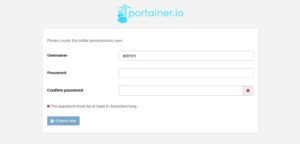
Docker-Container mit Portainer verwalten auf Ubuntu 16.04 LTS mit Apache2 als Reverse Proxy

Docker-Container mit Portainer verwalten auf Ubuntu 16.04 LTS mit Apache2 als Reverse Proxy
Veröffentlichungsdatum:
Anzahl Kommentare: keine Kommentare

Heute will ich Euch zeigen, wie Ihr Eure Docker Container mit Portainer verwalten könnt. Dazu nutzen wir den Portainer-Container, Apache2 als Reverse Proxy und sichern das ganze mit einem LetEncrypt-ssl-Zertifikat ab. Vorraussetzungen: – einen Ubuntu VPS – LAMP-Stack installiert – Reverse Proxy Module in Apache2 aktiviert – Docker installiert – certbot installiert – DNS-A-Record für […]